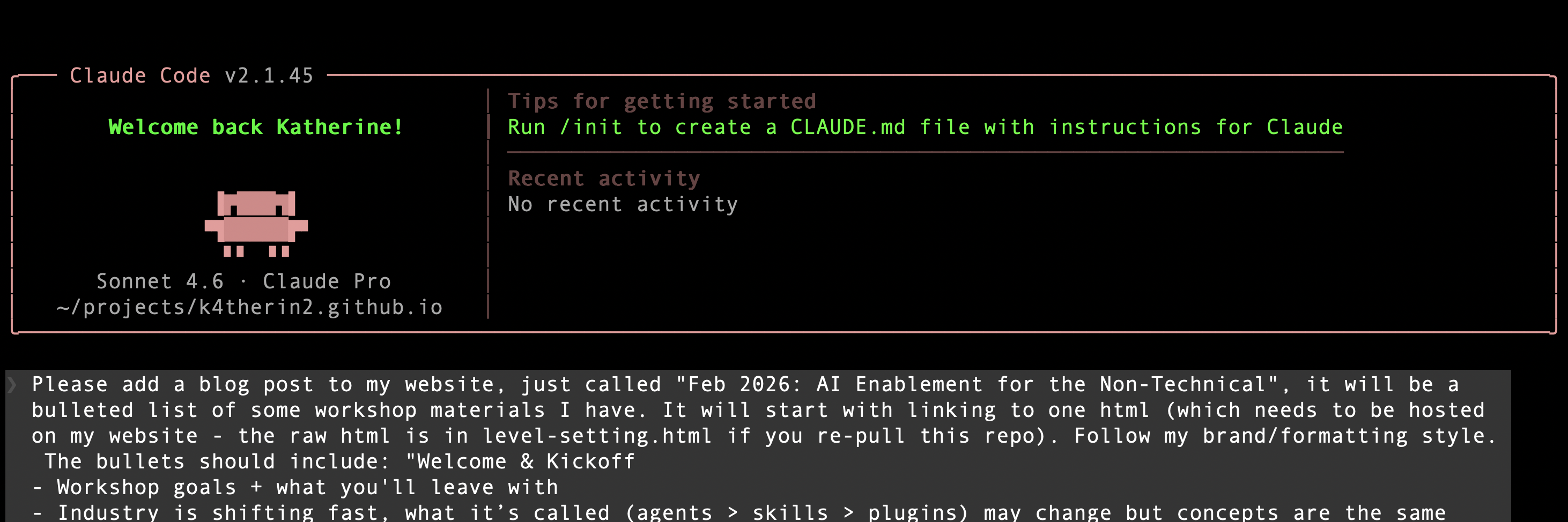
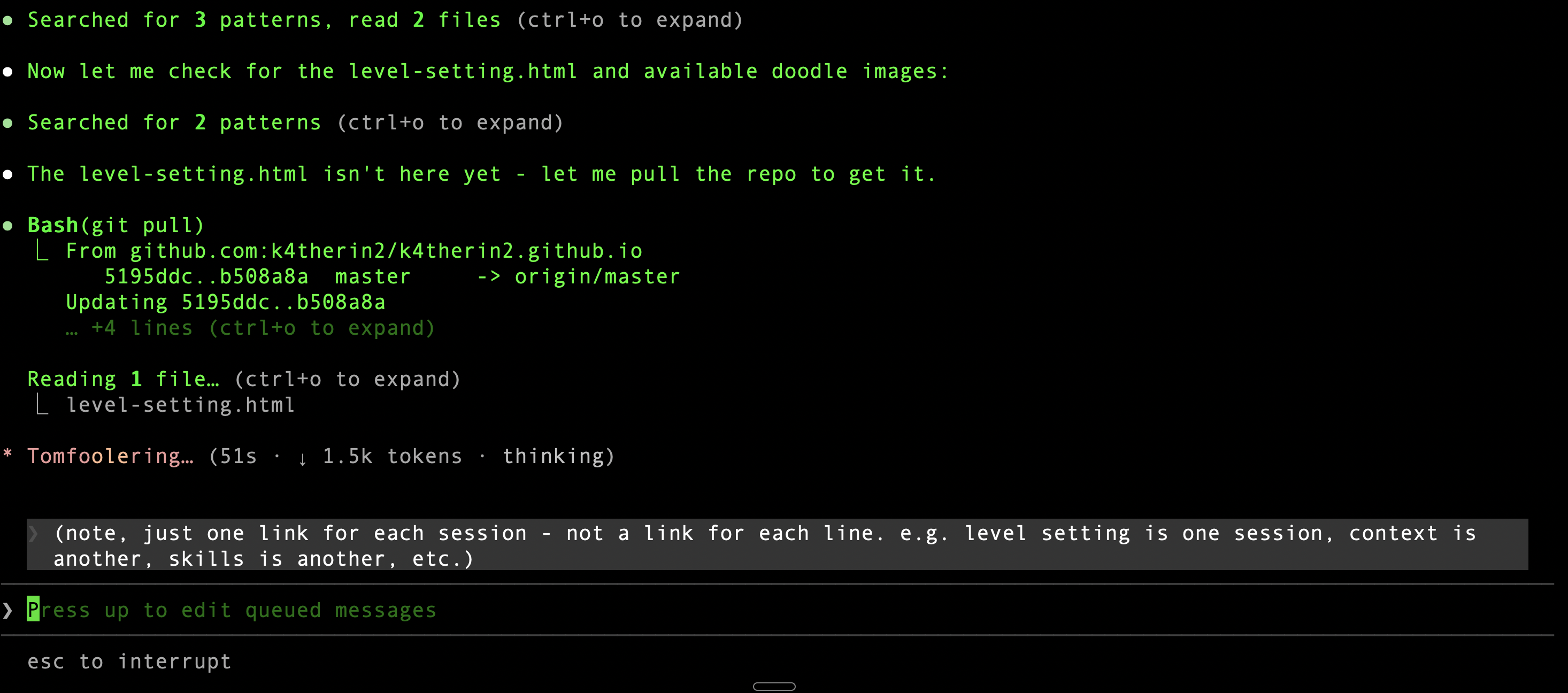
Day 1a · Level Setting
What is all
this stuff, actually?
A map, not a lecture. Four categories of tools, how they're different, and where you probably sit.
Katherine
4 tiers · no jargon
Your room, by the numbers
97%
of this room uses AI at work
So this isn't about convincing you AI is useful. You already know.
Today is about using it more deliberately.
Pre-session survey · anonymous team, Feb 2026
The frame
A toolbelt.
Not a ladder.
The real difference between tiers: how much of your context can it see? And how much can it act without you driving each step?
🌐
Tier 1
Browser Chat
ChatGPT, Claude.ai, Gemini
🖥️
Tier 2
Desktop + Files
Claude Cowork, Copilot
🔌
Tier 3
In Your Apps
Notion AI, Canva AI, HubSpot
⚡
Tier 4
Agentic Tools
Claude Code, Cowork workflows
You'll use all four for the rest of your career. What changes is how intentionally you use each one.
🌐 Tier 1 · Browser Chat
Browser chat tools
ChatGPT
Claude.ai
Gemini
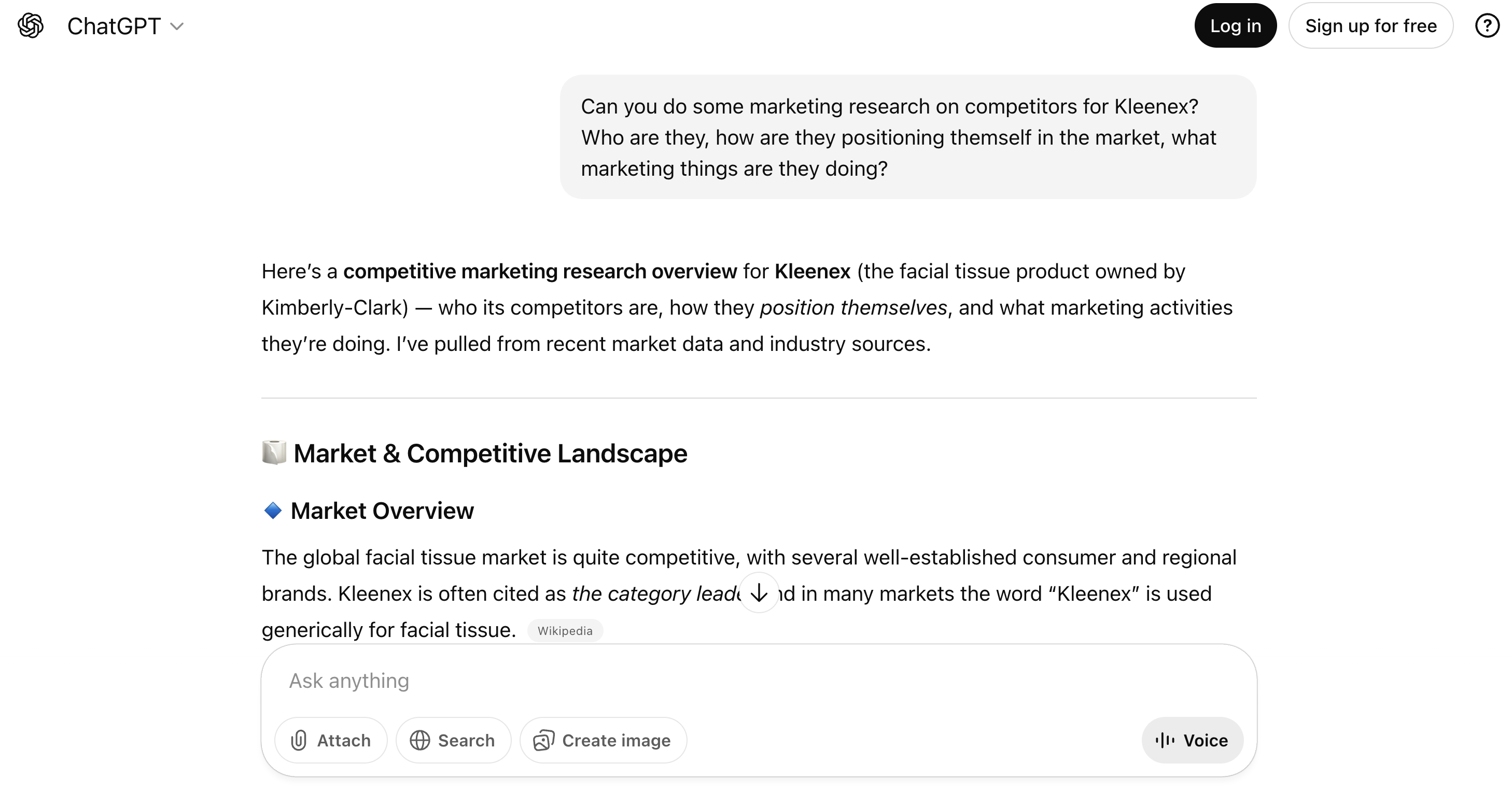
What it actually looks like — no live demo needed
You go to it. You paste context. You drive every step.
✅ The good
- Right tool for one-off tasks — you bring the context, it does the work
- Immediately useful: draft from notes, rewrite an email, explain jargon, summarize research
- Free tier actually delivers — no upgrade needed to start
⚠️ The catch
- No memory. Every session starts from zero.
- Vague prompt → vague output. Every time.
- Easy to plateau — most never get past this
🌐 Tier 1 · Deep Dive
🔍 Deep Dive
Tier 1: What you need to know
🔐
Free tiers may train on your data
Personal accounts — even paid — are not enterprise accounts. They use different data policies. Always check the plan's data terms before pasting anything sensitive.
⚠️
Enterprise ≠ paid upgrade
ChatGPT Team is not ChatGPT Enterprise. Claude Pro is not Claude for Business. Different data handling, different contractual protections. Know which one your org has.
📉
The plateau problem
Most people discover Tier 1, use the same 2–3 prompts, and stop exploring. The tool is capable of much more — the ceiling is usually the person, not the AI.
The move
Use Tier 1 with enterprise accounts or for non-sensitive work. Treat it as the thinking partner it is — not a search engine. The goal today is to push past the plateau.
🖥️ Tier 2 · Desktop + Files
⚡ The big unlock for your team
Desktop + file-aware tools
You still direct it, but it has your context.
Claude Cowork
Microsoft Copilot
Gemini in Workspace
📁 Reads your files
"Summarize everything in my Q4 Campaign folder and flag any launch dates." No copy-paste.
🔗 Connectors
Notion · Gmail · Google Drive · Slack · Stripe · Canva · DocuSign · FactSet · Asana · Jira · Confluence · Square · Intercom · Sentry · PayPal · Linear · Plaid
See full directory →
🧠 Persistent context
Your files are always there. Not re-pasting. It knows what you're working with. (Covered in the Context Engineering session.)
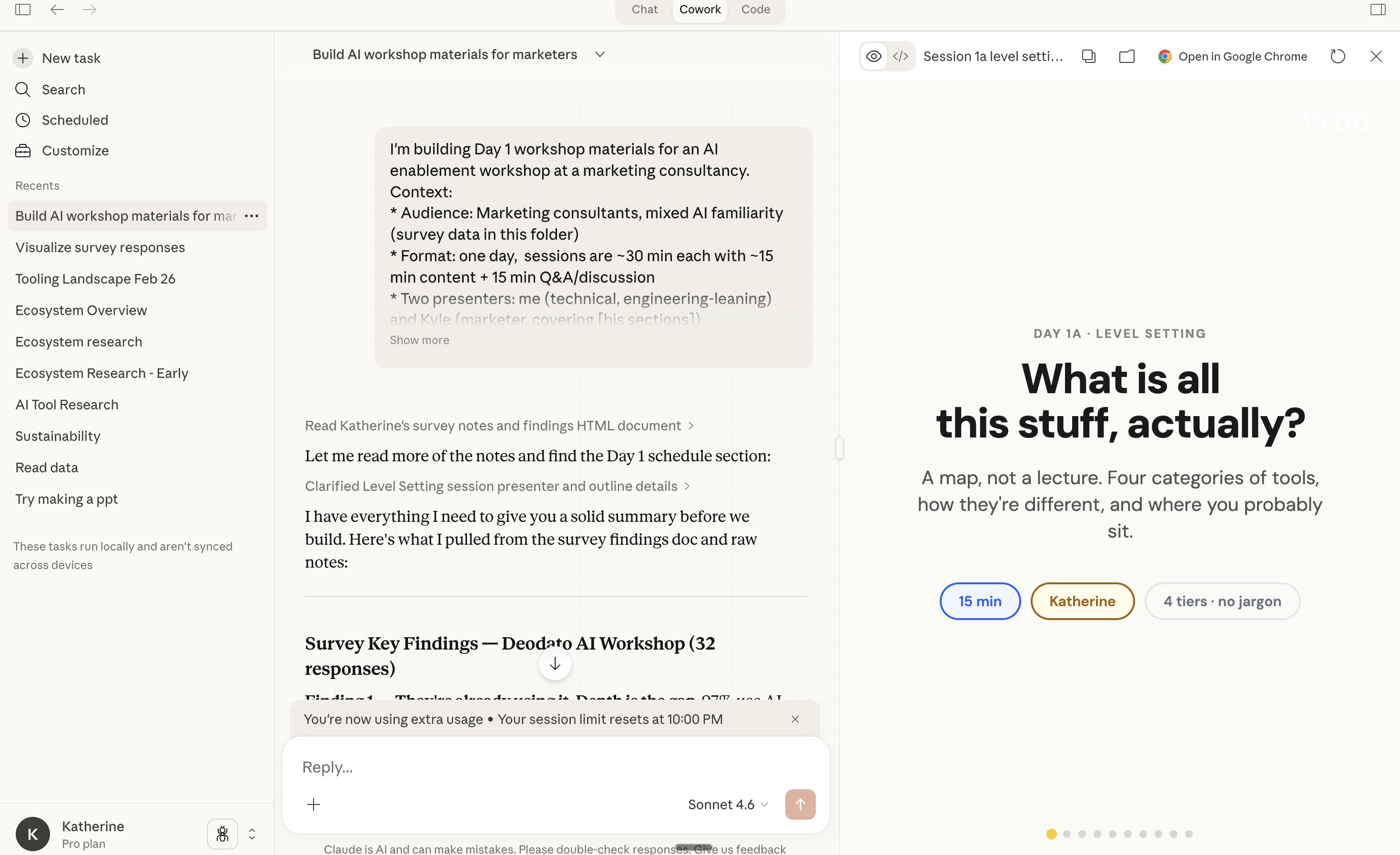
Claude Cowork demo 1 👆
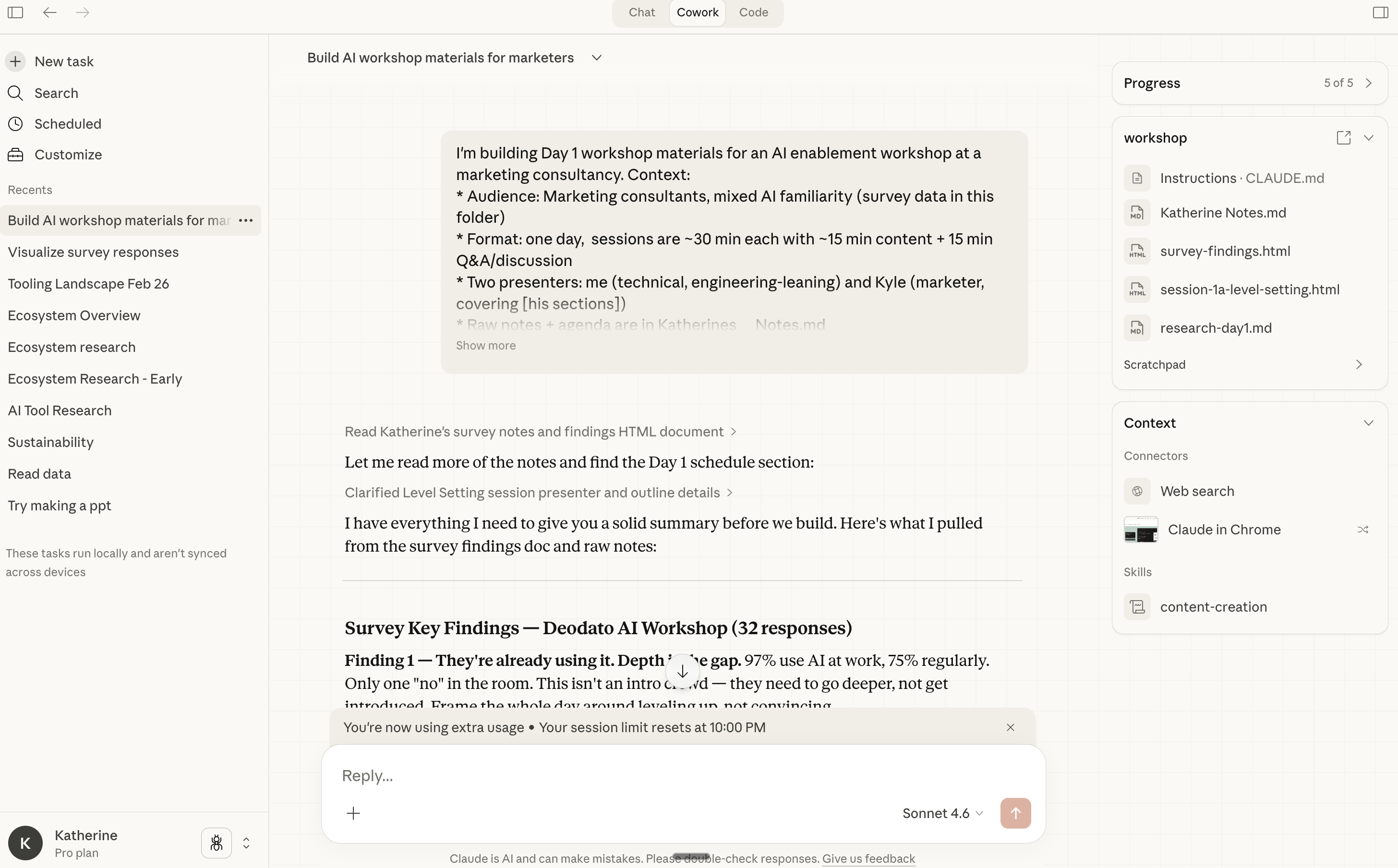
Claude Cowork demo 2 👆
Why this matters right now: Near-zero people on this team are here yet. Moving from Tier 1 → Tier 2 is the single biggest productivity unlock available in 2026.
✅ The good
- No copy-paste — context already there
- GUI-based, no technical skill required
- Works with tools you already use
⚠️ The catch
- Requires setup (connecting Drive, email, etc.)
- Giving AI inbox access is meaningful — understand what you're granting
- Prompt injection risk in file-aware context (covered in deep dive)
🖥️ Tier 2
🖥️
Pause: screen share
I'll scroll through the actual Claude task thread that built this presentation — so you can see what file-aware context looks like in practice.
🖥️ Tier 2 · Deep Dive
🔍 Deep Dive
Tier 2: Security nuances
💉
Prompt injection risk
A malicious file can contain hidden text instructing the AI to ignore your request and do something else instead. You open a "normal" PDF; it quietly redirects the assistant.
🔓
Copilot DLP bypass (Jan 13, 2026)
Microsoft's own data-loss prevention controls were bypassed via prompt injection in Copilot ("Reprompt" attack, CVE-2025-64671). Documented and patched — but illustrates that the risk is real, not theoretical.
[ref]
🔬
Claude Cowork disclosure (Jan 15, 2026)
PromptArmor disclosed a prompt injection path in Claude Cowork that could exfiltrate files. Anthropic acknowledged it as a "research preview" with "non-zero attack risk." Still worth understanding.
[ref]
✅
The practical guidance
Don't point file-aware tools at financial documents, credentials, or personal records. Use it for drafts, research, internal content — not sensitive data stores.
🔌 Tier 3 · In Your Apps
AI that's already in your apps
Most people encounter this without thinking of it as "using AI."
📝
Notion AI
Bullet notes → client brief in one click
👆 CLICK TO PREVIEW
🎨
Canva AI
6 color palette variations while you're in the file
📊
HubSpot AI
Draft follow-up from CRM history
💬
Slack AI
Summarize what happened while you were out
👆 CLICK TO PREVIEW
✨
Adobe Firefly
Image variations without leaving Photoshop
⚠️
One catch
Each vendor has different data retention and training opt-out policies. Adobe's 2024 controversy: many users didn't realize their creative assets could be used to train models. Check before you use.
✅ The good
- Zero adoption friction — already in tools you use
- Purpose-specific, usually good at its one task
- Best entry point for skeptics
⚠️ The catch
- Limited to what the vendor built — can't customize or redirect
- Easy to use accidentally without knowing what's happening to your data
- Adobe controversy: each vendor has different training opt-out policies
🔌 Tier 3 · Deep Dive
🔍 Deep Dive
Tier 3: What varies by vendor
🗓️
Data retention varies wildly
Notion (non-enterprise) retains LLM query data for 30 days.
[*] Other tools have their own policies. "Built into the app" ≠ "same privacy protections as the app."
⚖️
Legal risk with client agreements
If a client's contract specifies data deletion timelines or prohibits third-party AI processing, a 30-day LLM retention window creates real legal exposure. Check before you use.
✅
Best entry point for skeptics
Zero new login. Zero new tool. If someone on your team doesn't want to adopt AI "yet" — they're already using it here. That's the conversation starter.
⚡ Tier 4 · Agentic
Agentic tools
You describe a goal.
It figures out the steps — and runs them.
The technical floor is lower than it looks.
A lighting designer with no CS background used Claude Code to build a custom lighting app and shipped it in a few days.
⚡
Claude Code
Reads your files. Plans the work. Executes it. Runs tests. Iterates. Commits. Without waiting for you to approve each step.
🤖
Claude Cowork (used in advanced mode)
Set up a workflow once: monitor competitor blogs, summarize weekly, send to your Slack. Runs automatically after setup.
Real example — Rakuten
[↗]Rakuten, a Japanese e-commerce company with 10,000+ engineers, used Claude Code autonomously on a 12.5 million line codebase. Ran for 7 hours. Delivered with 99.9% accuracy. That wasn't an experiment — it was shipped.
✅ The good
- Highest leverage — complex, multi-step work autonomously
- Lower technical floor than expected — not only for engineers
- Dev-level tasks now accessible to non-engineers
⚠️ The catch
- Mistakes compound — wrong step 2 cascades through 3–7
- You must supervise, not just assign
- Blast radius scales with the permissions you grant
⚡ Tier 4
⚡
Pause: live demo
Terminal prompt below — copy and paste into Claude Code
Create a new unlisted page on my personal website called /hello-world. The page should:
- Match the existing site's design/fonts/colors exactly
- Say "Hello World! :-)" as the main heading
- Feature an elaborate emoji art piece (your choice of subject — make it creative and large)
- Be completely unlisted (no nav links, no sitemap entry)
- Commit and push the change to git so it deploys automatically
The site is already running locally with git set up. Just create the file, commit, and push.
⚡ Tier 4 · Deep Dive
🔍 Deep Dive
Tier 4: Power and blast radius
🎯
Mistakes compound
Wrong step 2 → wrong steps 3 through 7. Unlike browser chat where you catch the error immediately, agentic tools keep going. A bad assumption early becomes a cascade.
💉
Prompt injection at scale
At Tier 4, prompt injection isn't just misdirection — it's potential real exfiltration. A malicious document can instruct an agent to silently send your files somewhere. This has been demonstrated.
🧩
Connect wisely
Don't connect agentic tools to systems you'd regret them accessing autonomously. Every integration expands the surface area. Start narrow, verify behaviour, then expand.
💥
Blast radius is real
A bad prompt costs you time. A bad agentic action costs you data. The upgrade in capability is matched by an upgrade in what can go wrong. That's not a reason to avoid it — it's a reason to be deliberate.
Quick flag — more in the Security & Data Safety session
More power =
more responsibility
📊
77% of employees have pasted company data into personal AI accounts[1]
Client names, financials, NDA content. Consumer tiers may train on it. Use enterprise accounts.
⚠️
More autonomy = bigger blast radius
Tier 1 gives bad advice. Tier 4 takes bad actions. Know the difference before you give it the keys.
🔐
The Security & Data Safety session goes deep on this
Prompt injection, data sanitization, what never goes in a prompt. We'll cover it properly.
Security & Data Safety
What never goes into any AI tool
- Client names, emails, contact info
- Financial data (yours or clients')
- NDA-protected content
- Passwords, API keys, credentials
- Medical or HR records
- Proprietary source code
Unreleased strategies, forecasts & roadmaps
Multiple consultancies (Norton Rose Fulbright, IAPP, Private AI) treat these as strict — same category as financial data. If you need to work with them, automate around it: Excel formulas or scripts can strip/anonymize sensitive fields before they ever reach a prompt.
Security & Data Safety
The Lethal Trifecta
Three conditions that — when present simultaneously — create real exfiltration risk
①
Access to
private data
Files, email, calendar, connected systems
+
②
Exposure to untrusted content
Docs, emails, web pages, PDFs — anything from outside
+
③
Ability to make
external requests
Send email, post to web, call an API
When all three exist → a malicious document can silently instruct the agent to exfiltrate your files
Documented, not theoretical — and why agentic tools need a different level of scrutiny than browser chat.
Coined by Simon Willison (co-creator of Django), "The lethal trifecta for AI agents: private data, untrusted content, and external communication," June 16, 2025 · simonwillison.net
Where are you right now?
The journey looks the same
for almost everyone
✓
Tried it
You think of AI as a search engine that talks back
✓
Daily habit
You've caught yourself frustrated when it gives generic output — and you know how to fix it
📍
Most of you
are here
You've started asking: what does it need to know before I ask?
🔓
File-aware
workflows
Tier 2 unlocked — context is already there
⚡
Automation
You've made something that runs without you
The question is always: what am I actually trying to do?
The short version
Four tiers. One sentence each.
If you forget everything else — use this to place any AI tool you encounter.
🌐
Tier 1
Browser Chat
ChatGPT · Claude · Gemini
Mental model
You go to it. You bring the context. You drive every step.
You use it when…
You have a one-off task — rewrite this email, explain this clause, help me think through this decision, summarize these notes.
🖥️
Tier 2
Desktop + Files
Claude Cowork · Copilot · Gemini Workspace
Mental model
You still direct it — but it's already read your stuff. No copy-paste.
You use it when…
You want it to work across files, emails, or docs you already have — "summarise my Q4 folder", "draft from my CRM notes."
🔌
Tier 3
In Your Apps
Notion AI · Slack AI · Canva · HubSpot
Mental model
The button that appeared. You're already in the tool — the AI is a feature inside it.
You use it when…
You spot "Ask AI" in Notion, hit summarise in Slack, use Magic Edit in Canva — often without thinking of it as using AI at all.
⚡
Tier 4
Agentic
Claude Code · Cowork workflows
Mental model
You give it a goal, not a task. It figures out the steps — and runs them.
You use it when…
You want multi-step work done autonomously — build this, research and report weekly, refactor this entire codebase.
The one thing to take from this session
This is a toolbelt.
Not a ladder.
You'll use all four tiers for the rest of your career. What changes is how intentionally you pick up each one.
🌐
Tier 1
Still useful. Always.
🖥️
Tier 2 ← unlock this
The next step for this room
🔌
Tier 3
Already there. Use it.
⚡
Tier 4
Closer than it sounds.
How today's sessions build on this
- Critical Thinking & the 5-Year Prediction — where these tools take your role
- Plan Mode & Milestones — how to structure what you give them (Tier 2+)
- Security & Data Safety — what never goes in, and why (all tiers)
- Context Engineering — the skill that separates good output from great (Tier 2–4)
- Skills — how to lock in the best prompts so you never retype them
Q&A — then we move into the rest of the day